
Support
We handle support inside the DressForThis app, so your request sits with your account and you can see every reply in one place. This page explains how to reach us, and what to do if you cannot sign in.
1. Getting help in the app
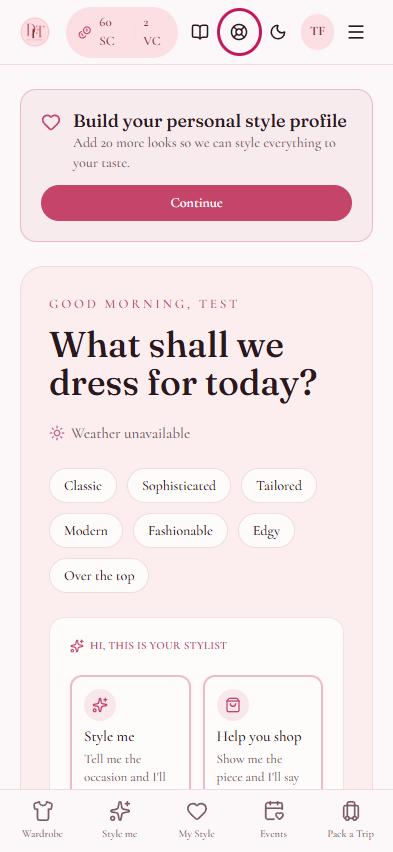
Support is available once you are signed in. Tap the lifebuoy icon at the top of any screen to open Support.
On the Support screen, tap New request and tell us what you need. Your request and our replies stay on that screen, so you can follow progress at any time.
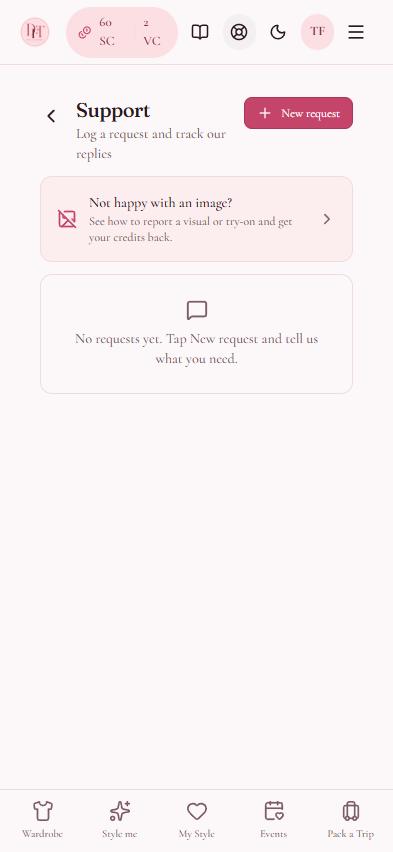
2. Not happy with an image?
If a styled look or try on image is not right, you can report it and get your credits back. Our step by step guide shows you how.
3. If you cannot sign in
If you have forgotten your password, tap Forgot password? on the sign in screen to reset it. If you still cannot get in, or you do not have an account, email us at info@dressforthis.com and we will help.
4. Subscriptions and purchases on iPhone
Subscriptions and credit packs bought on iPhone are billed by Apple. You can manage or cancel a subscription in your iPhone Settings under your name, then Subscriptions. For a refund, use Apple's Report a Problem page.
5. Contact details
DRESSFORTHIS LTD (company number 17398115), 71-75 Shelton Street, Covent Garden, London, WC2H 9JQ. Email info@dressforthis.com.